Artifacts
Artifacts are the files the agent generates for you during a chat session, such as documents, spreadsheets, presentations, images, diagrams, code, and more. Every artifact appears in the Artifacts panel, a dedicated side panel that centralizes everything the agent has produced in the current conversation.
Open the Artifacts panel by clicking the Artifacts icon in the chat. Quick-access buttons at the top let you switch between the artifact list and the live browser.
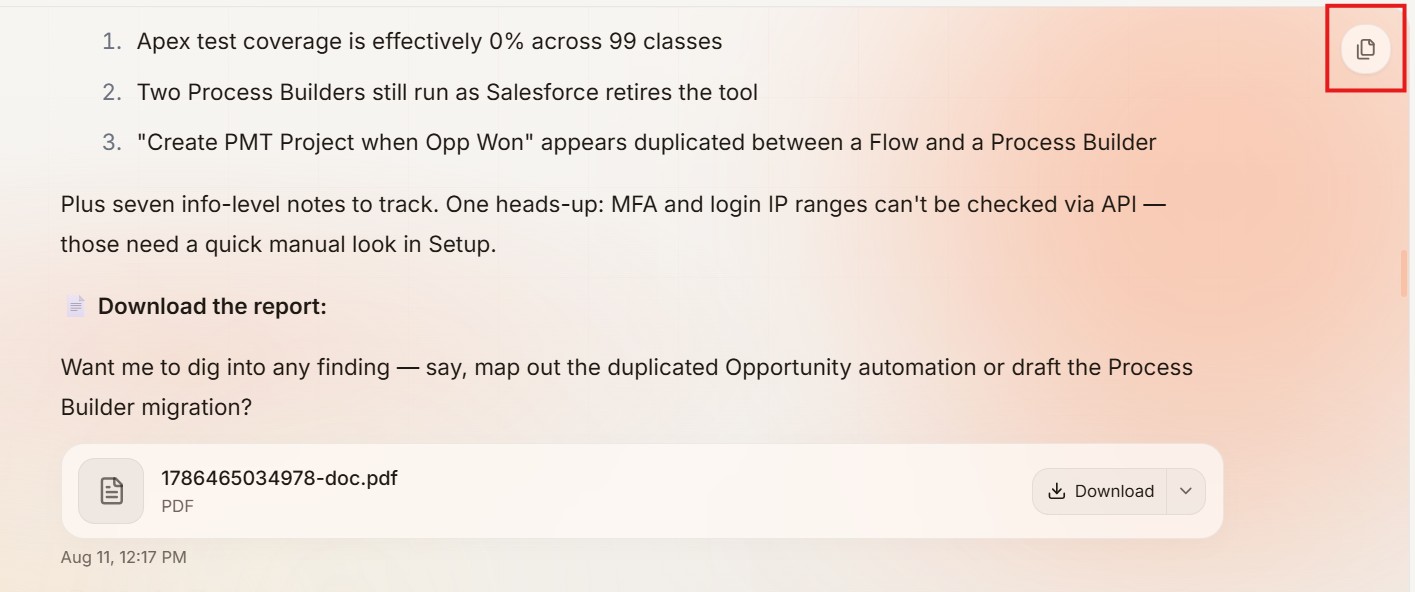
The panel turns your chat into a working space: you can preview files, jump back to the exact message that created them, copy raw code, share them with teammates, download them, and keep every version without ever losing an earlier iteration.
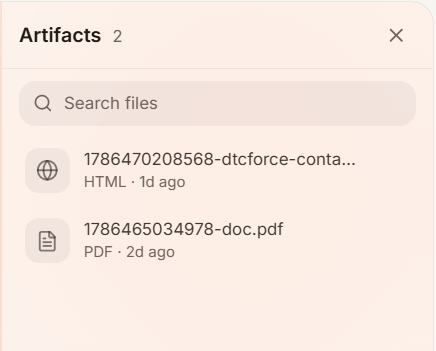
1. What Can Be an Artifact?
The agent can generate almost any file type:
- Word documents
- PDFs
- Presentations
- Excel sheets
- CSVs
- SVG graphics
- HTML files (with both a rendered preview and the raw code)
- Mermaid diagrams
- Zip files
Videos can appear as artifacts only if the agent downloads an existing video from a website using the browser. The agent cannot generate video or voice files natively, and it has no image-generation APIs when asked for a logo or realistic image, it produces SVG-based graphics instead.
2. Viewing an Artifact
Click any artifact in the panel to open it. From there you can:
-
Switch between rendered view and raw code
- for HTML and other code-based artifacts, toggle between the rendered output and the underlying code, and copy the code.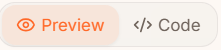
-
Copy

- Copy the URL to the artifacts
-
Refresh

- Refreshes the file
-
Open in a new tab

- view the artifact full-screen in a browser tab.
-
Share

- Share the artifact with other users, inside or outside Scopien. The share panel offers three access levels:
- Restricted
- Only people you explicitly add (by email or name) can view the file.
- Workspace Members
- Anyone within your workspace can view the file with the link.
- Anyone with the link
- No login or Scopien account required; anyone with the link can view and download it.
- Restricted
- Share the artifact with other users, inside or outside Scopien. The share panel offers three access levels:
-
Download

- save the artifact to your computer.
-
Resize or collapse the panel

- drag the edge to resize, or collapse it to hide it entirely.
-
Pin the top bar

- for diagrams and code components, pin the left-side toolbar so it stays visible; otherwise it hides automatically.
-
Scroll-Sync (Jump to Source)

- Every artifact is linked to the exact message that generated it.
- Click the scroll-sync icon on an artifact and the chat window scrolls to that message.
- It is useful in long conversations when you want to see the context behind a file.
3. Version History
When you ask the agent to update an artifact, it does not overwrite the original. Each iteration is saved as a completely new file, so you can scroll through the panel to see every version and go back to an earlier one if you prefer it.
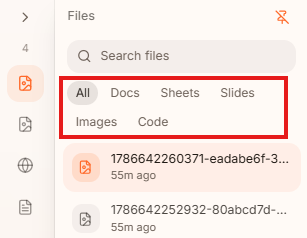
4. Filtering
The panel includes a filter so you can view only specific types of artifacts.
5. Presentations
Presentations behave slightly differently:
- They do not have a code/preview toggle.
- They offer a view switch:

- a grid view showing all slides at once.
- a full presentation mode with back-and-forth navigation buttons.
- Slides use a black background by default unless you prompt the agent otherwise.
Limitations
- No native video or voice generation
- The agent can download an existing video from the web, but it cannot create video or audio files.
- No photorealistic image generation
- Logos and images are produced as SVGs, not realistic graphics.
- External files are not editable
- Editing external sources (such as Google Docs or Sheets) is not possible.
Tips & Recommendations
- Use scroll sync to trace where a file came from before you trust it.
- Never lose work: because every version is a separate file, you can always revert by re-downloading an earlier iteration.
- For logos and brand images, expect SVG output. Give the agent clear design details to get the best result.
- Filter the panel by artifact type when working on long projects with many files.